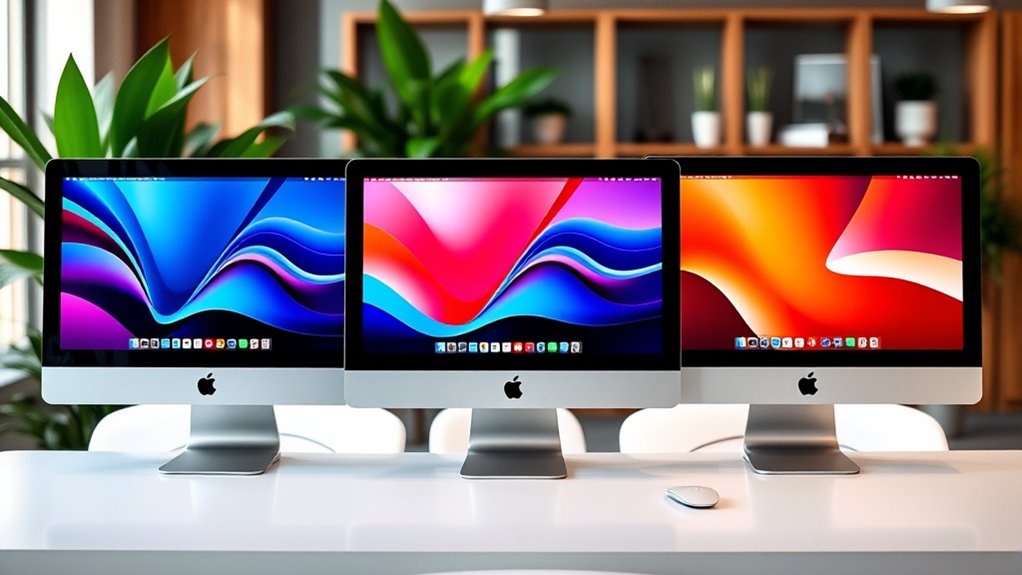

When exploring 24 inch iMac configurations, the key decision revolves around balancing performance, price, and future-proofing. The Apple 2024 iMac Air with M4 Chip stands out as the best overall choice thanks to its cutting-edge performance and portability. For those prioritizing raw power, the Apple 2024 iMac with M4 and 24GB RAM offers premium specs, but at a higher cost. Meanwhile, budget-conscious buyers might lean toward the 2023 iMac with M3 Chip, which provides solid performance at a lower price point. The main tradeoffs involve choosing between the latest features and affordability, as well as balancing RAM and storage for your specific workflow. Continue reading for a detailed breakdown of each option’s strengths and limitations.

Get movie nights delivered free with Prime
- Fast, free delivery on millions of items
- Prime Video, Amazon Music and more included
- Member-only deals all year
Key Takeaways
- The newest M4 chip models deliver significant performance improvements over previous generations, especially for demanding tasks.
- RAM and storage configurations vary widely, influencing how well each setup handles multitasking and large files.
- Renewed models often provide good value but may lack the latest features and hardware refinements of new releases.
- The most premium configurations with higher RAM and SSD options are better suited to professionals or power users, but come with a higher price tag.
- Portability and price are tightly linked; the Apple Air offers a lightweight design at a lower cost, while more powerful setups tend to be bulkier and pricier.



| inch imac configuration | Processor | Storage | Display | Color |
|---|---|---|---|---|
| Apple 2024 iMac Air with M4 Ch | Apple M4 chip | 256GB SSD | 24-inch Retina, 4.5K resolution | Silver |
| Apple 2023 iMac with M3 Chip | Apple M3 chip | 256GB SSD | 24-inch 4.5K Retina | Silver |
| Apple 2021 iMac with M1 Chip | Apple M1 chip with 8-core CPU | 256GB SSD | — | — |
| Apple 2021 iMac with M1 Chip | Apple M1, 8-core CPU and GPU | 512GB SSD | 24-inch 4.5K Retina | Pink |
| Apple 2024 iMac All-in-One Des | M4 chip with 10-core CPU and 10-core GPU | 512GB SSD | 24-inch Retina, 4.5K resolution | Blue |
| Apple 2024 iMac All-in-One Des | M4 chip with 8-core CPU and 8-core GPU | 256GB SSD | 24-inch Retina, 4.5K resolution, 500 nits brightness, supports 1 billion colors | — |
More Details on Our Top Picks
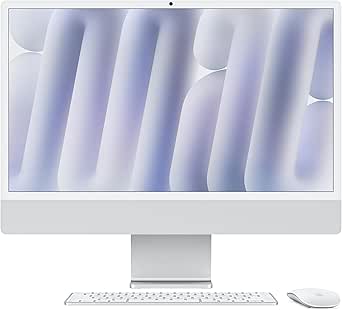
Apple 2024 iMac Air with M4 Chip, 24-inch Retina Display, 16GB RAM, 256GB SSD, Silver (Renewed)
The 2024 iMac Air with M4 stands out for combining high portability with powerful performance, thanks to its advanced M4 chip and vibrant 24-inch Retina display. Unlike the 2023 M3-based iMac, it offers a significant boost in performance and privacy features, making it ideal for users who want a sleek, all-in-one desktop that handles demanding tasks effortlessly. However, its limited storage and the renewed status could be drawbacks for those needing more space or warranty certainty. This model is perfect for creative professionals or students seeking a lightweight yet capable machine, but less suited for heavy multitaskers or those with extensive storage needs.Pros:- Vivid 24-inch Retina display with 4.5K resolution
- Powerful M4 chip for fast, responsive performance
- Sleek, colorful all-in-one design
Cons:- Renewed product may have limited warranty
- Limited storage capacity at 256GB SSD
- No included peripherals listed
Best for: Creative professionals, students, or remote workers who prioritize portability and high performance in a colorful, compact design
Not ideal for: Power users requiring extensive storage or dedicated graphics, or buyers wanting a brand-new product with full warranty coverage
- Processor:Apple M4 chip
- Display:24-inch Retina, 4.5K resolution
- RAM:16GB
- Storage:256GB SSD
- Color:Silver
- Design:All-in-one, thin, vibrant colors
Our verdict“This iMac Air offers an excellent balance of portability and power, ideal for users who want a lightweight, vibrant machine without extensive storage needs.”
Apple 2023 iMac with M3 Chip (24-inch, 8GB RAM, 256GB SSD, Renewed)
The 2023 M3 iMac offers a compelling entry point with a robust M3 chip and a bright 24-inch Retina display. Compared with the 2024 M4 model, it provides slightly less performance headroom but still handles everyday tasks smoothly, especially for users on a tighter budget. Its included peripherals—Magic Keyboard and Magic Mouse—add convenience, though the 8GB RAM might limit multitasking capabilities and the storage remains modest. This makes it suitable for casual users, students, or those new to Mac, but less appealing for power users or creative professionals requiring more memory or storage.Pros:- Powerful M3 chip delivers quick performance
- Bright 24-inch Retina display with vibrant colors
- Includes Magic Keyboard and Magic Mouse for immediate use
Cons:- Limited to 8GB RAM, less upgrade flexibility
- No dedicated GPU option
- Renewed product may have limited warranty
Best for: Students, casual users, or first-time Mac buyers seeking a capable yet affordable all-in-one desktop
Not ideal for: Heavy multitaskers or creative professionals needing extensive memory or storage upgrades
- Display:24-inch 4.5K Retina
- Processor:Apple M3 chip
- RAM:8GB
- Storage:256GB SSD
- Color:Silver
- Included Accessories:Magic Keyboard, Magic Mouse
Our verdict“This iMac provides good performance for everyday tasks at a value price point, making it ideal for new or casual Mac users.”
Apple 2021 iMac with M1 Chip, 24-inch, 8GB RAM, 256GB SSD – Silver (Renewed)
The 2021 M1 iMac remains a well-rounded choice for multimedia tasks, offering a high-resolution 4.5K Retina display and the M1 chip’s capable 8-core CPU and GPU. Compared with newer models like the 2023 M3 or 2024 M4, it lacks the latest connectivity features and has less future-proofing but still provides excellent audio and video quality, perfect for editing photos, videos, or casual creative work. Its limited upgrade options and 256GB storage may be restrictive for intensive use, making it less suitable for professionals handling large files. Still, it excels as an all-around multimedia machine at a more accessible price point.Pros:- High-resolution 4.5K Retina display with vibrant colors
- Powerful M1 chip with 8-core CPU and GPU
- Excellent audio and video features for multimedia work
Cons:- Limited upgrade options due to integrated design
- Only 256GB SSD, which can fill quickly
- Refurbished with potential warranty limitations
Best for: Photographers, video editors, or multimedia enthusiasts looking for a capable, affordable Mac
Not ideal for: Power users needing extensive storage or the latest ports and connectivity options
- Display Size:24 inches
- Display Resolution:4480 x 2520 pixels
- Processor:Apple M1 chip with 8-core CPU
- GPU:8-core
- Memory:8GB
- Storage:256GB SSD
Our verdict“This iMac is a solid choice for multimedia creatives seeking good performance in a reliable, cost-effective package.”
Apple 2021 iMac with M1 Chip (24-inch, 8GB RAM, 512GB SSD) – Pink (Renewed)
The 2021 Pink M1 iMac combines vibrant aesthetics with reliable performance, thanks to its high-quality 24-inch Retina display and the M1 chip’s efficiency. It’s a good fit for users who want a stylish machine for everyday tasks, media consumption, and light creative work. Compared to the 2024 M4 and 2023 M3 models, it offers slightly less raw power but still handles most daily activities smoothly. Its 512GB SSD provides more storage than the base models, yet the limited RAM—8GB—could slow down multitasking for power users. It’s best for those who prioritize style and general use over future-proofing.Pros:- Vivid 4.5K Retina display with wide color gamut
- Powerful performance for daily tasks with M1 chip
- Vibrant pink color adds personality
Cons:- Limited to 8GB RAM, less suited for multitasking
- Only 512GB SSD, which may fill quickly
- Refurbished with potential warranty restrictions
Best for: Home users, students, or anyone seeking a visually striking, capable machine for everyday tasks
Not ideal for: Heavy multitaskers or users needing extensive memory or storage for professional workflows
- Display:24-inch 4.5K Retina
- Processor:Apple M1, 8-core CPU and GPU
- Memory:8GB
- Storage:512GB SSD
- Color:Pink
Our verdict“This Mac strikes a balance between style and function, making it perfect for casual and everyday use with some extra storage.”
Apple 2024 iMac All-in-One Desktop Computer with M4 Chip, 24-inch Retina Display, 24GB Memory, 512GB SSD, Blue
The 2024 M4 iMac pushes performance boundaries with a 10-core CPU, 10-core GPU, and a whopping 24GB of unified memory, making it a clear choice for demanding workflows. Its 24-inch Retina display delivers stunning visuals, rivaling or surpassing the earlier M3 and M1 models. The increased RAM and faster M4 chip enable seamless multitasking and heavy-duty processing, but the premium price and limited upgrade options might deter budget-conscious buyers. This machine is best suited for professionals or serious multitaskers who need speed and reliability in a vibrant, all-in-one format, yet it may be overkill for basic users.Pros:- Powerful M4 chip with 10-core CPU and GPU
- Vivid 24-inch Retina display with excellent color accuracy
- Large 24GB unified memory for heavy multitasking
Cons:- Premium price point may be prohibitive
- Limited upgrade options for storage and memory
- Available only in select colors
Best for: Creative professionals, developers, or power users who need maximum performance in a compact, stylish package
Not ideal for: Budget-conscious buyers or those seeking extensive upgradeability, especially in storage and memory
- Processor:M4 chip with 10-core CPU and 10-core GPU
- Display:24-inch Retina, 4.5K resolution
- Memory:24GB Unified Memory
- Storage:512GB SSD
- Color:Blue
Our verdict“This iMac excels for demanding workflows where raw power and vibrant visuals matter most, though its cost makes it less accessible for casual users.”
Apple 2024 iMac All-in-One Desktop Computer with M4 Chip, 24-inch Retina Display, 16GB RAM, 256GB SSD – Silver
This model stands out for its combination of raw power and sleek design, thanks to the new M4 chip that outperforms the M3 and M1 options in both CPU and GPU capabilities. The 24-inch Retina display offers stunning visuals with 4.5K resolution and support for a billion colors, making it ideal for creative tasks or media consumption. Compared to the 2023 M3-based iMac, the M4 delivers noticeably faster performance, especially for multitasking and demanding applications, though this comes with a higher price tag. Its 16GB of unified memory ensures smooth operation even with multiple apps open, but the limited 256GB SSD could be a bottleneck for storage-heavy users. The design remains colorful and elegant, fitting well into both workspaces and entertainment areas, and seamless Apple ecosystem integration is a key plus. However, the premium cost might be a barrier for budget-conscious buyers, and storage could be insufficient for those with large media libraries. This pick makes the most sense for users who want a future-proof, high-performance all-in-one that can handle both work and leisure with ease.Pros:- Powerful M4 chip with 8-core CPU and GPU delivers rapid performance
- Stunning 24-inch Retina display with 4.5K resolution and billion-color support
- Sleek, colorful design that enhances any space
- Seamless integration with other Apple devices and ecosystem
Cons:- Limited 256GB SSD storage may require external drives for large files
- High price point could be prohibitive for some buyers
- Few upgrade options post-purchase
Best for: Creative professionals or power users who need fast processing and vibrant visuals and are comfortable with a premium price.
Not ideal for: Users with large local storage needs or tight budgets, since the 256GB SSD may require external solutions and the price is high.
- Processor:M4 chip with 8-core CPU and 8-core GPU
- Display:24-inch Retina, 4.5K resolution, 500 nits brightness, supports 1 billion colors
- Memory:16GB Unified Memory
- Storage:256GB SSD
- Dimensions:21.54 x 5.79 x 18.15 inches
- Weight:9.72 pounds
- Ports:Up to four Thunderbolt 4 ports
- Connectivity:Wi-Fi 6E, Bluetooth 5.3
Our verdict“This iMac is best suited for users seeking top-tier performance and vibrant visuals in a stylish package, willing to invest in a future-proof machine.”

How We Picked
Our selection process focused on evaluating each iMac configuration based on performance, usability, build quality, and value. We prioritized models with the latest Apple silicon chips to ensure long-term performance longevity. RAM and storage options were assessed for their ability to support demanding workflows and multitasking needs. Additionally, we considered price-to-performance ratios, factoring in whether higher-priced configurations offered enough extra value. The ranking reflects a balance between cutting-edge features and accessibility, helping buyers identify options best suited for different budgets and use cases.| inch imac configuration | Processor | Color |
|---|---|---|
| Apple 2024 iMac Air with M4 Ch | Apple M4 chip | Silver |
| Apple 2023 iMac with M3 Chip | Apple M3 chip | Silver |
| Apple 2021 iMac with M1 Chip | Apple M1 chip with 8-core CPU | — |
| Apple 2021 iMac with M1 Chip | Apple M1, 8-core CPU and GPU | Pink |
| Apple 2024 iMac All-in-One Des | M4 chip with 10-core CPU and 10-core GPU | Blue |
| Apple 2024 iMac All-in-One Des | M4 chip with 8-core CPU and 8-core GPU | — |
Factors to Consider When Choosing 24 Inch Imac Configurations
Choosing the right 24 inch iMac configuration involves more than just looking at specs. Buyers should consider how each component impacts overall usability and future compatibility. Balancing processor power with RAM and storage is key to avoiding bottlenecks, especially if you plan to use intensive applications. Display quality and connectivity options also play roles in creating a seamless user experience. Additionally, understanding resale value and upgradeability can influence long-term satisfaction. This guide highlights factors that help you make a smarter, more tailored decision beyond just the specs sheet.Performance and Processor Power
The processor is the heart of your iMac, affecting everything from everyday tasks to professional workloads. The latest M4 chip offers notable speed gains over the M3 and M1, especially for creative professionals and multitaskers. However, for casual use or less demanding tasks, older chips like the M3 still provide ample power at a lower cost. Buyers should weigh their performance needs against price, considering whether future software updates and demanding apps justify investing in the newest chip. Remember, a faster processor can prolong the device’s relevance, but it also comes with a higher initial investment.
Memory (RAM) and Multitasking
RAM determines how many apps and processes your iMac can handle simultaneously without slowing down. Configurations range from 8GB to 24GB, with higher RAM offering smoother multitasking and better performance with large files or multiple browser tabs open. For creative work, such as photo editing or video production, opting for more RAM is advisable, even if it costs more upfront. Conversely, casual users may find 8GB sufficient, but they should be aware of potential slowdowns if they expand their workload later. The tradeoff is paying more now to avoid bottlenecks down the line.
Storage Capacity and Expandability
Solid State Drives (SSDs) impact how quickly your system boots, loads apps, and transfers files. Configuration options vary from 256GB to 512GB or more, with larger sizes offering greater flexibility for storing high-resolution media, applications, and backups. Keep in mind that storage is less upgradeable on these all-in-one models, so choosing a size that meets both current and near-future needs is critical. Underestimating your storage needs can lead to frequent cleanups or external drives, which complicate your setup and reduce overall speed.
Display Quality and Connectivity
The 24-inch Retina display provides vibrant colors and sharp details, but some buyers might prioritize color accuracy for creative work. Consider whether you need features like True Tone or P3 wide color for professional editing. Connectivity options, such as Thunderbolt and USB-C ports, are essential for peripherals, external drives, and displays. Additionally, evaluate whether the included ports support your workflow or if adapters are needed. While the display quality is consistent across configurations, higher-end models may offer enhanced features like better color calibration or more ports, justifying a higher price for professionals.
Budget vs. Future-Proofing
Pricing varies significantly among these configurations, often reflecting hardware upgrades. While budget-friendly models like the 2023 iMac with M3 chip suit casual users, they may become less capable as software demands grow. Investing in a higher-spec model with more RAM and storage can extend the usefulness of your iMac and reduce the need for early upgrades. However, premium configurations come with a steep price increase, so buyers should consider their long-term needs and whether current features align with their planned usage. Striking the right balance is key to making a wise purchase.
Frequently Asked Questions
Is it worth upgrading to the M4 chip in the 24-inch iMac?
Upgrading to the M4 chip provides noticeable performance improvements, especially for demanding tasks like video editing, 3D rendering, or heavy multitasking. The M4’s efficiency also means better battery life and future software support. However, if your tasks are light or you primarily use the iMac for browsing and media consumption, the M3 or M1 versions might suffice, saving you money. Consider your workload and whether the extra power justifies the higher cost—if longevity and cutting-edge performance matter most, the M4 is a solid choice.
How much RAM do I really need for a 24 inch iMac?
For everyday use, 8GB of RAM is generally enough, especially with macOS’s efficient memory management. However, if you plan to run multiple apps simultaneously, do creative work like photo or video editing, or handle large files, upgrading to 16GB or even 24GB provides a smoother experience. More RAM can also extend your iMac’s useful lifespan, as future software updates may demand higher memory. The key is to match your current and anticipated needs, avoiding the frustration of limited multitasking capacity.
Should I prioritize storage capacity over other features?
Storage capacity is important if you work with large media files or prefer to keep everything locally. While 256GB might be enough for casual use, creative professionals or those storing extensive libraries will benefit from 512GB or larger. Remember, storage is typically not upgradeable later, so choosing the right size upfront is wise. However, don’t neglect other specs like RAM or processor, as a balance ensures your iMac performs well across all tasks. External drives can supplement storage, but they may reduce convenience and speed.
Are renewed models a good value for the 24 inch iMac?
Renewed models often offer significant savings while providing many of the same features as new units. They undergo rigorous testing and certification, making them a reliable choice for budget-conscious buyers. However, they might lack the latest hardware refinements or warranty coverage of brand-new devices. Consider your comfort with potential resale value or limited warranty when choosing renewed. For most users, a renewed iMac balances performance and affordability, but professionals needing the latest features or extended support might prefer new models.
How important is the display quality on a 24 inch iMac?
The display quality directly impacts your viewing experience, especially for creative work or media consumption. The Retina display offers vibrant colors and sharp images, but some configurations include enhanced features like True Tone and P3 wide color for more accurate color reproduction. If color accuracy is critical—such as for photo editing or design—investing in a higher-end display option makes sense. For general use, the standard Retina display is sufficient, but do consider how display features align with your specific needs before choosing a configuration.
Conclusion
For most users, the Apple 2024 iMac Air with M4 Chip offers the best overall experience, combining performance, portability, and future-ready features. Creative professionals or power users who need maximum speed and memory should consider higher-end configurations with increased RAM and SSD options. Budget-conscious buyers will find the 2023 iMac with M3 Chip a compelling value, delivering solid performance at a lower price. Beginners or casual users can prioritize models with sufficient specs that don’t overshoot their needs. Ultimately, matching your workload and budget will determine the ideal configuration among these versatile options.