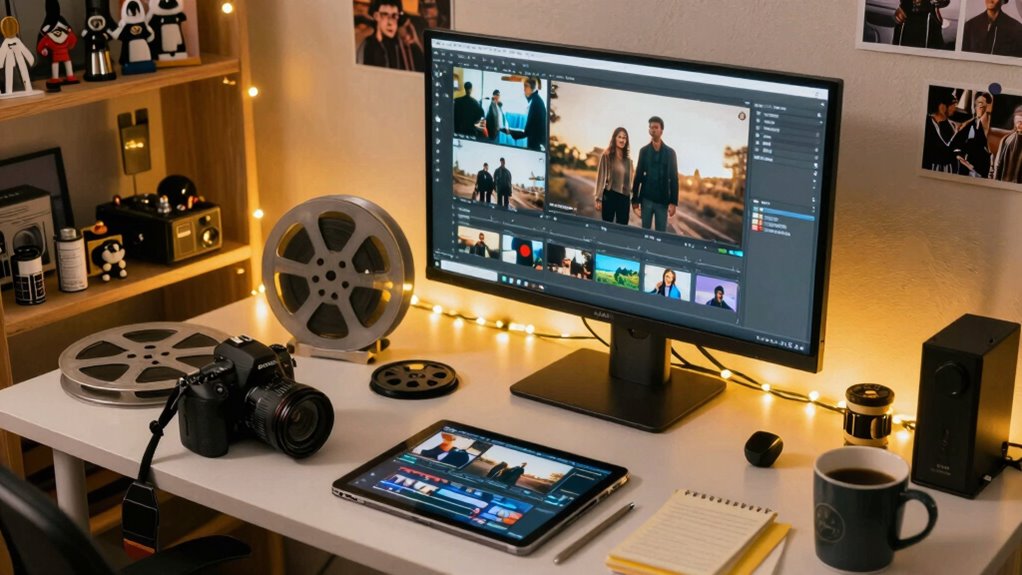

You can turn tiny moments into cinematic edits by focusing on storytelling and using creative editing techniques. Pick meaningful clips that highlight emotions like reactions or expressions, and then apply tools like jump cuts, slow motion, and color grading to set the mood. Combining sound design and smooth *progressions* enhances the atmosphere. With guidance and practice, you’ll discover how small details can tell powerful stories—keep exploring to master this art.

Get movie nights delivered free with Prime
- Fast, free delivery on millions of items
- Prime Video, Amazon Music and more included
- Member-only deals all year
Key Takeaways
- Fans carefully select small moments that evoke strong emotions, emphasizing their significance through editing choices.
- Creative techniques like jump cuts, slow-motion, and color grading shape the narrative and mood of the edit.
- Sound design and music enhance emotional impact and seamlessly connect clips for storytelling.
- User-friendly editing tools and online tutorials empower fans to craft cinematic edits without professional skills.
- The community’s shared tips and experimentation foster continuous improvement and innovative storytelling.

In recent years, fans have transformed everyday moments into stunning cinematic edits that captivate audiences worldwide. What starts as a simple clip or snapshot quickly becomes a work of art, thanks to your creativity and mastery of editing techniques. You don’t need to be a professional filmmaker to craft compelling content; instead, your passion and resourcefulness turn small, seemingly insignificant moments into powerful stories that resonate with viewers.
Fan creativity fuels this transformation. You look at a brief scene or a candid shot and see potential beyond its initial context. Maybe it’s a quick reaction, a funny expression, or a heartfelt exchange—these moments hold emotional weight if presented thoughtfully. You carefully select clips, paying attention to details like lighting, facial expressions, and background sounds. With each choice, you shape the narrative, emphasizing the emotions you want to highlight.
Fan creativity transforms fleeting moments into powerful stories through careful selection and emotional storytelling.
Editing techniques play a crucial role in elevating these moments. You might use jump cuts to create a sense of pacing or slow-motion to draw attention to a specific expression. Color grading helps set the mood—warmer tones for nostalgia or cooler shades for tension. Transitions like fades or wipes can smooth out the flow between clips, making your edits feel seamless and polished. Sound design, including background music and effects, enhances the atmosphere and guides viewers’ emotional responses. When you combine these techniques, you craft a cinematic experience out of what was once just a fleeting moment.
You’re not just assembling clips; you’re storytelling. Every cut, every effect, and every sound edit contributes to a narrative that can evoke laughter, tears, or awe. You understand that precise timing and rhythm are essential—knowing when to cut or hold a shot can make all the difference. With each project, you learn new editing tricks, experiment with different styles, and refine your skills. It’s this iterative process that makes your creations more compelling and visually stunning.
What’s truly remarkable is how accessible this art form has become. With user-friendly editing software and online tutorials, you can dive into the world of cinematic editing without needing expensive equipment or formal training. Your passion drives you to explore, learn, and share your edits with a global community of fans. This accessibility is made possible by digital concepts, which provide the tools and frameworks that empower creators to innovate and elevate their content. In doing so, you turn tiny moments into memorable cinematic edits, inspiring others to see the potential in everyday interactions and elevating fan content into a genuine art form.
user-friendly video editing software
As an affiliate, we earn on qualifying purchases.
As an affiliate, we earn on qualifying purchases.
Frequently Asked Questions
What Tools Do Fans Typically Use for Editing Cinematic Moments?
You typically use user-friendly editing tools like Adobe Premiere Pro, Final Cut Pro, or DaVinci Resolve to craft cinematic moments. Within the fan community, you’ll find fans employing editing techniques like color grading, slow-motion, and seamless shifts to elevate their edits. These tools and techniques let you creatively transform tiny moments into stunning cinematic videos, showcasing your passion and skills. The fan community thrives on sharing tips and inspiring each other’s editing masterpieces.
How Long Does It Usually Take to Create a Viral Fan Edit?
Creating a viral fan edit usually takes anywhere from a few hours to several days, depending on your editing techniques and how much fan engagement you want. It’s a bit of a balancing act—pouring in time and creativity to craft something enthralling. The key is patience and precision. With dedication, you’ll shape those tiny moments into a cinematic piece that resonates and spreads, turning your passion into a viral hit.
Do Fans Credit the Original Creators When Making Edits?
Fans often credit the original creators out of respect, but it’s not always consistent. Fan recognition varies; some give proper credit, while others don’t. Creative licensing can complicate this, as fans modify content within fair use boundaries but may overlook formal acknowledgment. To avoid issues, many fans include credits or links, showing appreciation and respecting the original work. However, it’s always best to explicitly credit creators whenever possible.
What Are Common Challenges Faced During Cinematic Editing?
You face several challenges during cinematic editing, like syncing music perfectly and achieving seamless color grading. It’s a delicate balancing act—if you don’t watch every detail, the whole project can fall apart. Music synchronization needs precise timing, while color grading can change the mood entirely. Sometimes, you hit a wall trying to match visuals and sounds, but patience and attention to detail turn those hurdles into stunning edits.
How Do Fans Choose Which Moments to Turn Into Edits?
You choose moments based on what resonates with your audience and sparks fan engagement. You look for scenes that evoke strong emotions or showcase unique editing aesthetics, making them memorable. By analyzing fan reactions and comments, you identify which tiny moments have the potential to become impactful cinematic edits. Your goal is to highlight those moments that connect deeply, amplifying their significance through creative editing choices.
As an affiliate, we earn on qualifying purchases.
Conclusion
And just like that, you’ve become a master of turning tiny moments into cinematic masterpieces. With a flick of your fingers, you breathe life into the smallest clips, transforming them into epic sagas that could rival Hollywood blockbusters. Your edits don’t just capture moments—they rewrite history, making every second feel like the climax of a blockbuster. So keep creating, because in your hands, even the tiniest snippet can explode into an unforgettable cinematic universe!
As an affiliate, we earn on qualifying purchases.
color grading software for videos
As an affiliate, we earn on qualifying purchases.
As an affiliate, we earn on qualifying purchases.
Fall Picks
fall essentials
As an affiliate, we earn on qualifying purchases.